Fluid type should respond to the card, not the viewport
Pull the handle and watch how the same content either scales smoothly or jumps between preset sizes. The contrast becomes obvious before the card gets anywhere near the full container width.
Stop feeling one step behind. Close the gap between what CSS can do today and what you actually use in production.
30-day money-back guarantee
PDF with practical CSS patterns, code examples, and interactive demos
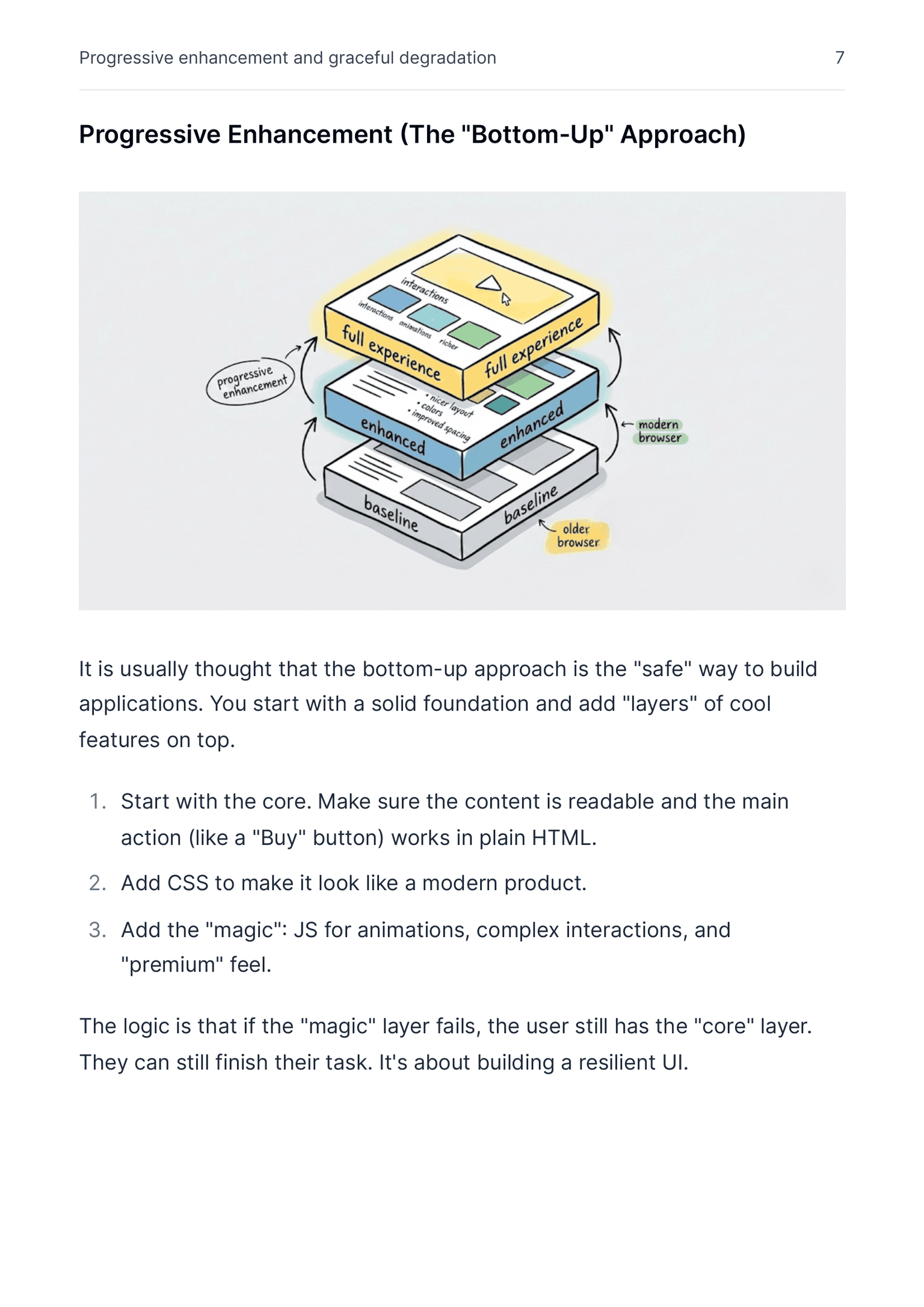
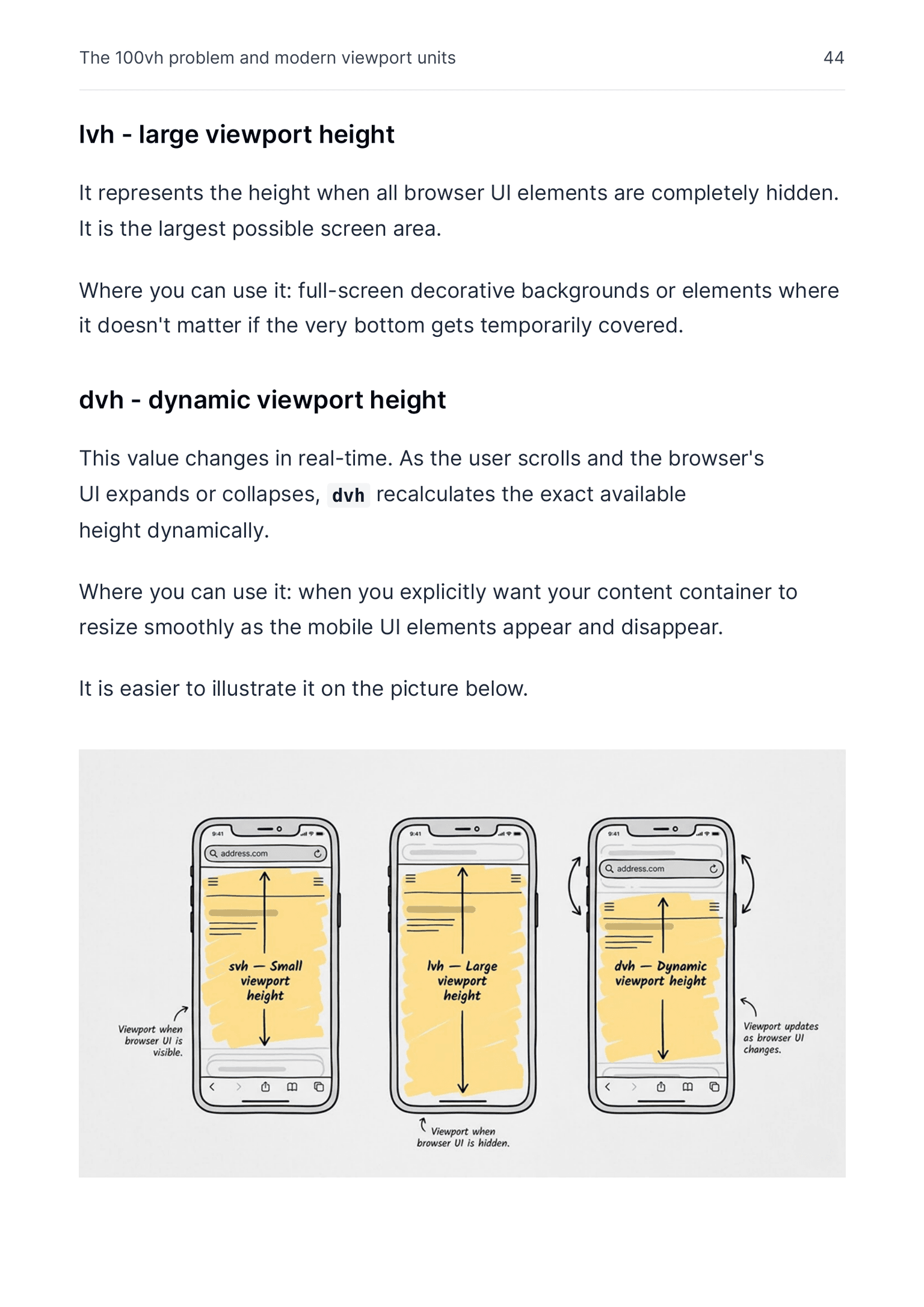
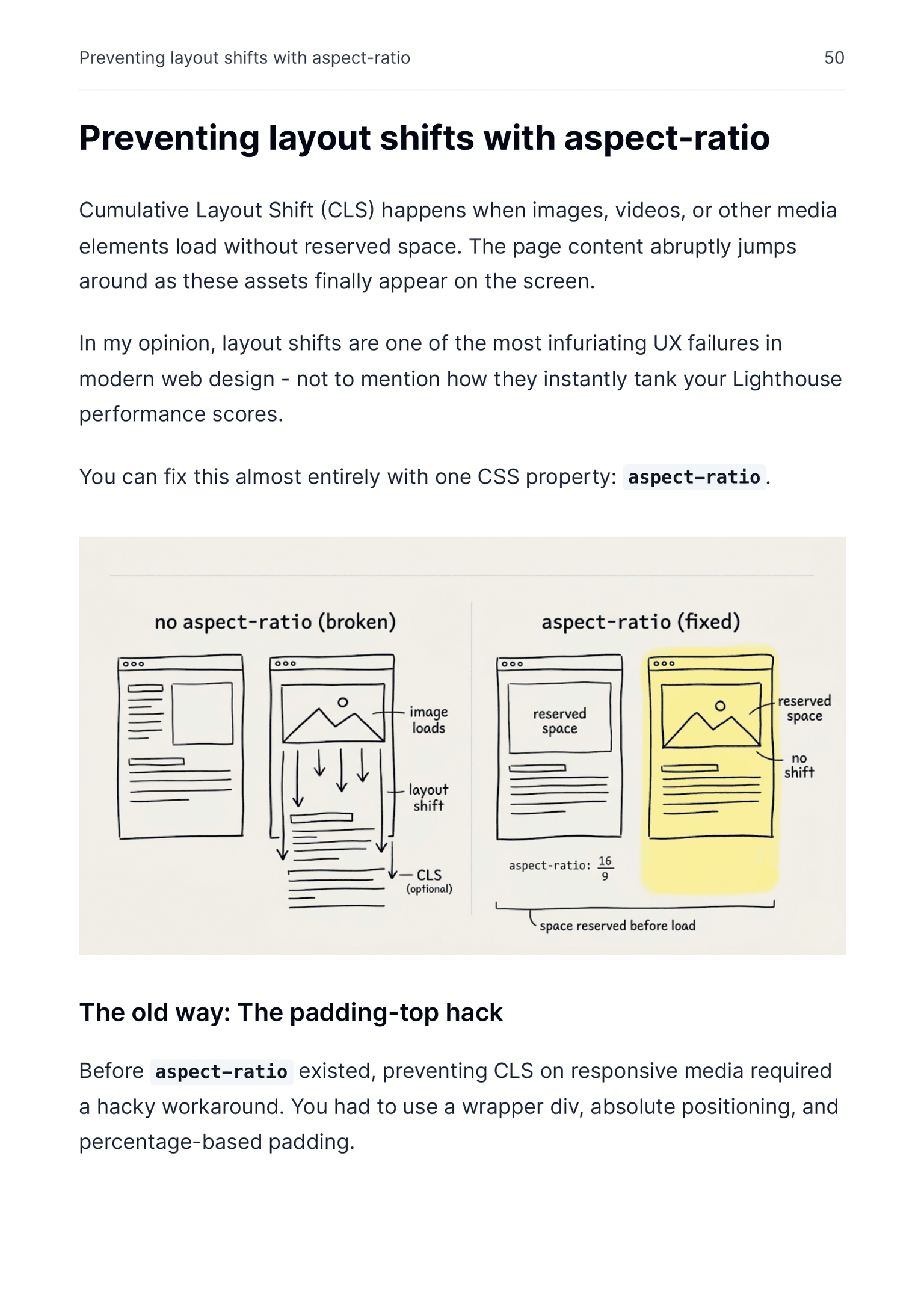
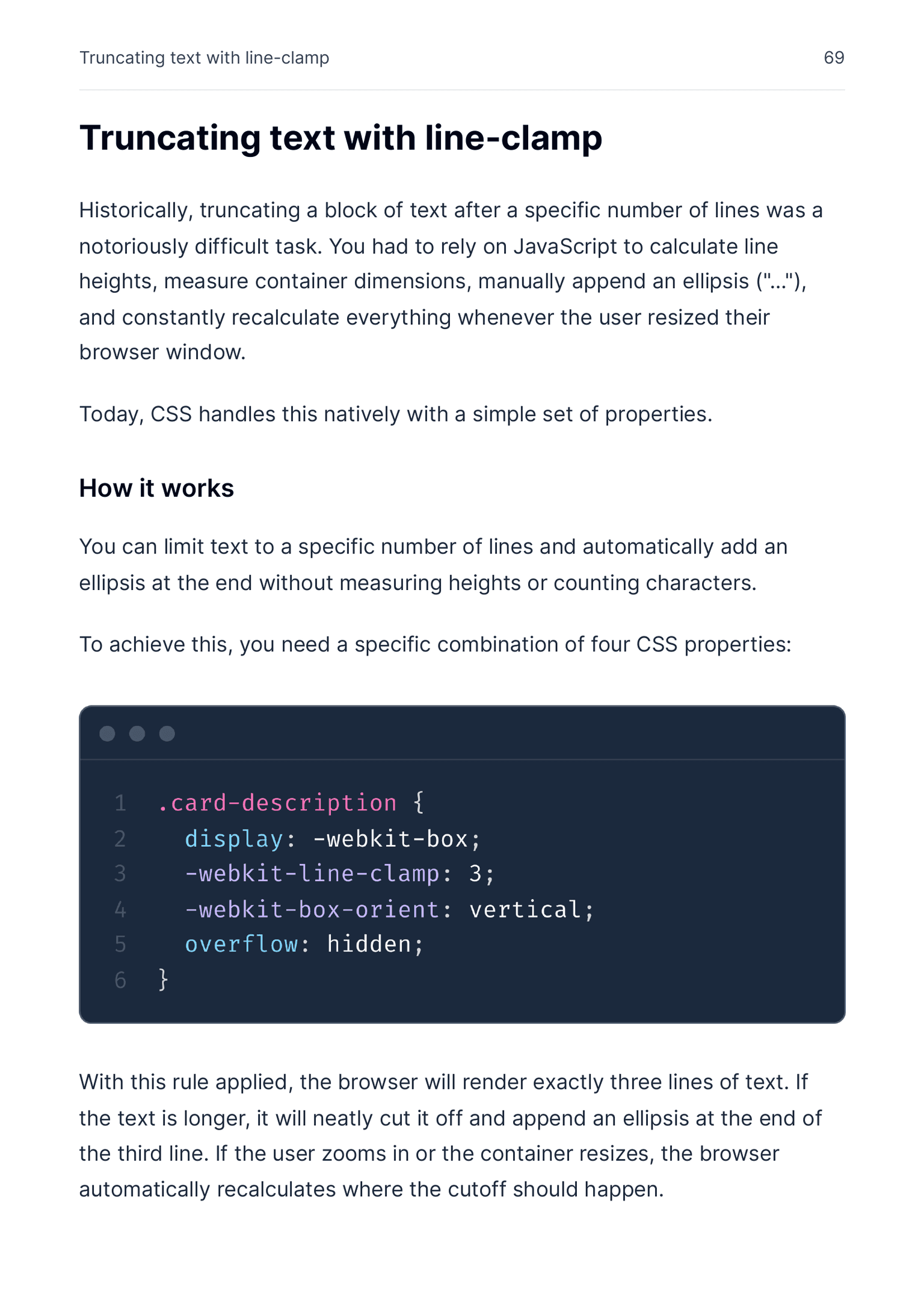
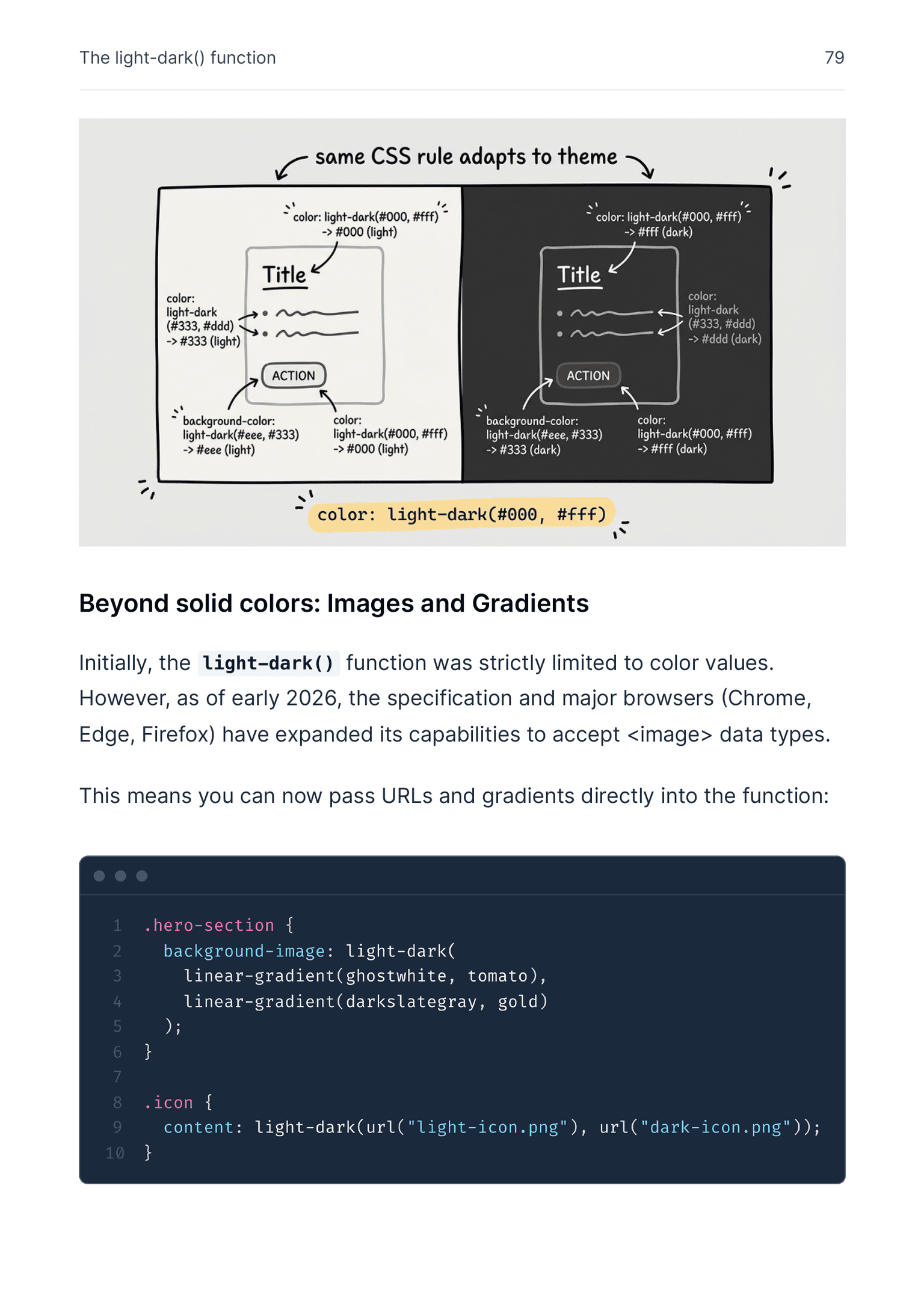
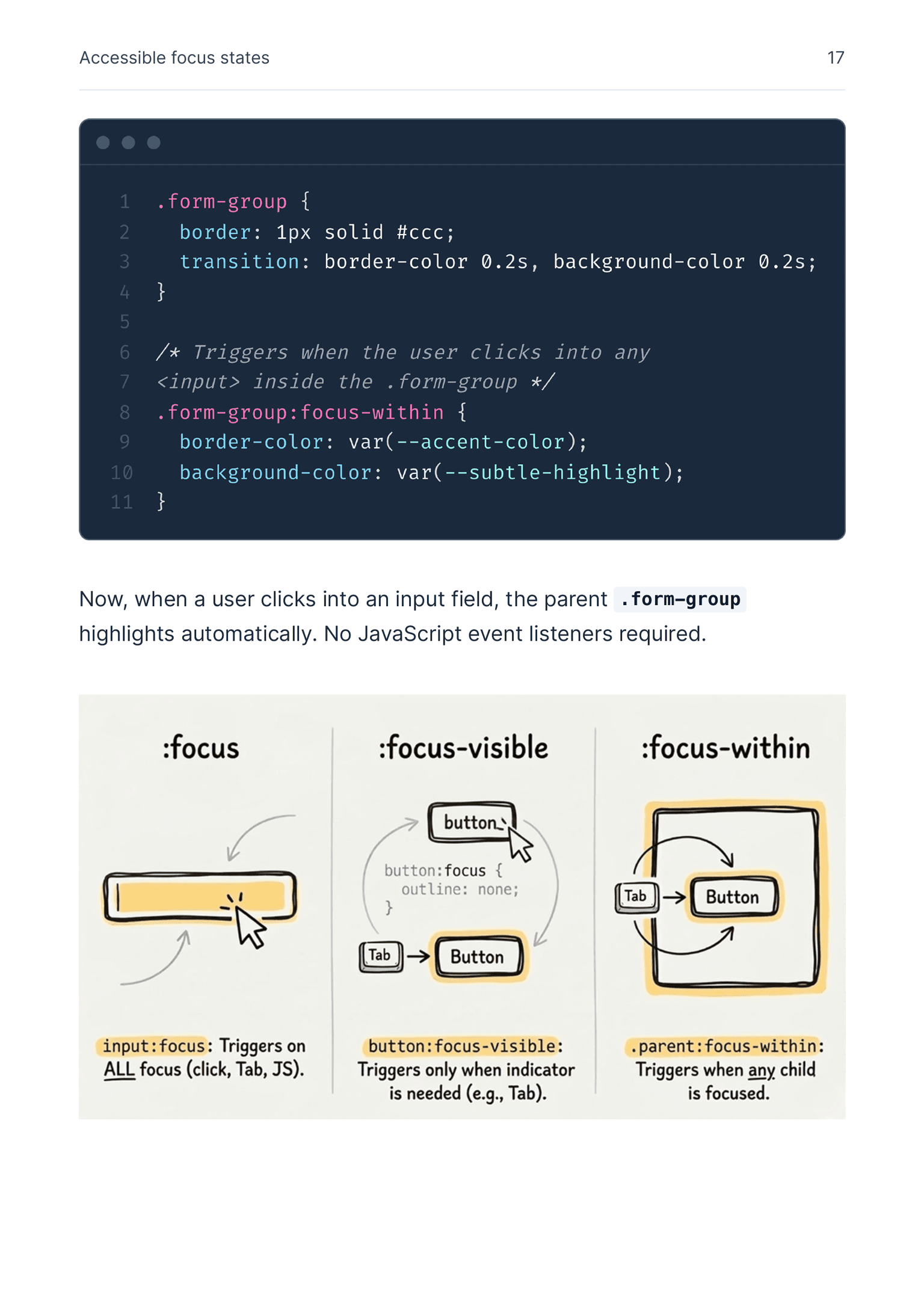
We went from years of stagnation to an avalanche of new CSS features. If you are still relying on JavaScript to calculate dimensions, handle basic animations, or fix focus states, your stack is already aging.
Keeping track of everything new is exhausting. It feels like you are always one step behind.
But here is the catch: you cannot just outsource this problem to an AI.
It’s tempting to ask: why not just delegate all of this styling to an AI agent? LLMs are incredible for boilerplate, but if you rely on them completely for UI architecture, you hit a ceiling fast.
text-box-trim, @starting-style, or color-mix(). You cannot prompt your way out of a messy interface if you do not know how things work under the hood. AI is a powerful excavator, but you are still the engineer who has to know exactly where to dig.
Modern CSS for Better User Experience is your shortcut. It bridges the gap between outdated habits and modern capabilities. No abstract theory. Just practical, native CSS patterns that solve real interface problems, so you can build the resilient, premium interfaces that AI will not generate for you by default.
Cropping usually turns into extra wrappers, manual offsets, or image editing. object-view-box lets the browser focus the exact part of the image you want with plain CSS.
.photo {
  object-fit: cover;
  object-view-box: xywh(410px 70px 640px 360px);
}
Small spacing errors make polished interfaces feel slightly off. This example shows how text-box-trim removes hidden font space so headings and controls align the way you expect.
Mount Ararat dominates the horizon with two volcanic summits, a long snow line, and a silhouette that stays unmistakable even from far across the valley.

.title {
  text-box-trim: none;
  text-box-edge: auto;
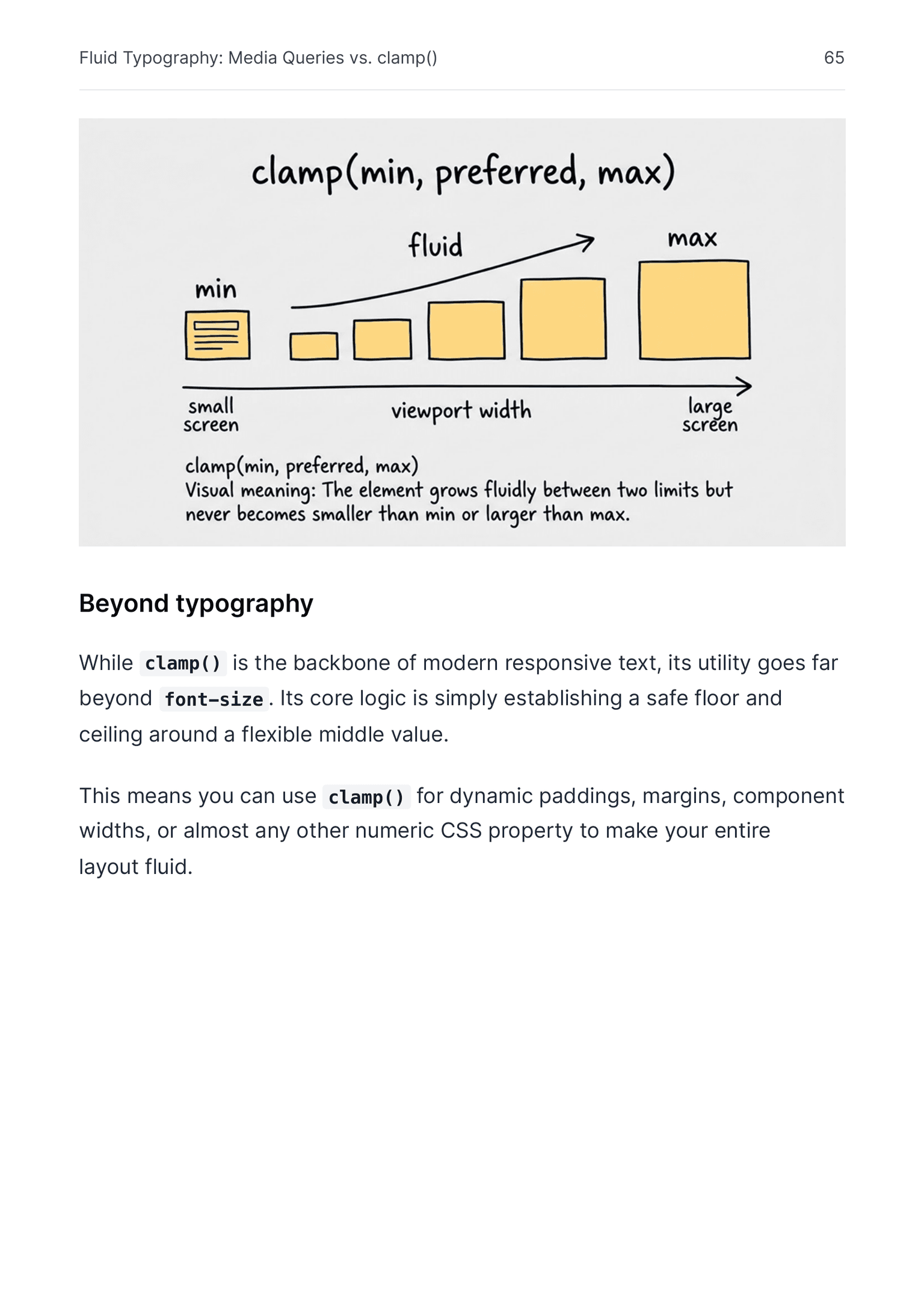
} Good type should react to the space it actually lives in, not only to the viewport. This demo compares a fluid clamp() with the abrupt jumps you get from @container breakpoints alone.
Pull the handle and watch how the same content either scales smoothly or jumps between preset sizes. The contrast becomes obvious before the card gets anywhere near the full container width.
.preview-card {
  container-type: inline-size;
}

.title {
  font-size: clamp(0.875rem, 0.625rem + 1.8cqi, 2rem);
}

.body {
  font-size: clamp(0.75rem, 0.625rem + 0.8cqi, 1.25rem);
}Victor breaks down modern CSS with crystal-clear explanations and has interactive code examples that makes complex concepts feel approachable and fun to experiment with.
I’m genuinely impressed by how much heart and expertise he’s poured into this. It’s exactly the practical, hands-on resource devs and designers have been waiting for.
You think you know CSS until you read this book. It covers concepts that are so simple and essential, you’ll wonder how you went years without knowing them.
Victor’s explanations are so incredibly clear and detailed that they really stick with you. This book fills the gaps in your CSS knowledge like nothing else.
As someone learning CSS, what I liked most about this book is that it doesn’t waste time. It’s clear, concise, and gets straight to the point.
Within a couple of hours, I had a much better understanding of several concepts I’d struggled with before. That alone made it worth it!
Book only
$37
one-time payment
Book + examples + bonus book about forms
$57
one-time payment
Save 20% compared to buying Complete separately
$136
for up to 3 team members
Your team gets 3 copies of everything included in the Complete package.
It is for anyone interested in CSS: frontend developers, designers who work close to implementation, and product-minded builders who want to understand modern interface details better.
Basic includes the book as a PDF file. Complete includes the same PDF plus a downloadable archive of interactive examples as standalone HTML files. On top of that, Complete also includes free access to my book ReForm and 18 extra tips for better forms.
You can request a refund within 30 days of purchase.
Yes. CSS keeps evolving, so the book will be updated periodically. If you buy it once, future updates are included for free.
Yes. Team licenses are available for groups that want to use the Complete package as shared learning material. Each seat gets a 20% discount compared with buying Complete individually.
Yes. Invoices are available on request. You can add your billing details, including your VAT ID, during purchase so I can prepare one correctly.
If you need to get in touch, email me at hi@vpon.me.
Turn new CSS features into practical patterns you can actually use in production.